
Computer Maintenance Engineer Course
Introduction
Since 2003, the course has offered over 60 classes
Hong Kong has entered a knowledge-based society, and understanding information technology is an essential requirement for Hong Kong people to compete. This course is suitable for beginners, enabling students to master a comprehensive and practical set of computer and network maintenance skills in a short period of time through systematic technical training and internships.
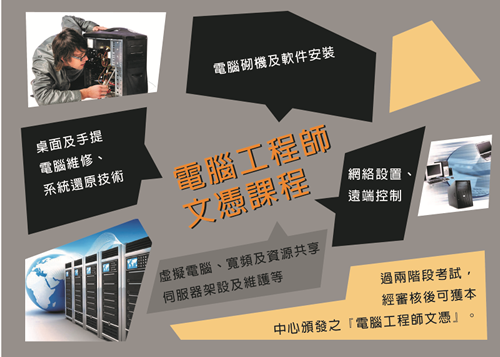
To meet the requirements for social recognition of students’ computer skills, two assessments will be held before the course ends: a general knowledge theory written test and a technical internship exam. The assessment covers computer assembly, hardware and software installation, desktop and laptop repair, system restore technology, network setup, remote control, virtual computers, broadband and resource sharing, server setup and maintenance, etc. If students successfully pass both stages of the exam and pass the review, they will be awarded the title of ‘Computer Maintenance Engineer’ by our center.
The courses are mainly hands-on, and upon completion, you can work in IT computer support work.
Course content
| 1. | Computer hardware structure and assembly steps |
|
|
| 2. | BIOS analysis and setup |
|
|
| 3. | Hard drive planning and partitioning |
|
|
| 4. | Operating system installation method |
|
|
| 5. | Install and configure the driver |
|
|
| 6. | Principles of CPU overclocking and memory regulation |
|
|
| 7. | System backup and restore technology |
|
|
| 8. | System and registry optimization techniques |
|
|
| 9. | Discussion of common computer faults and technical breakdown of repairs |
|
|
| 10. | Exploration of remote control technology |
|
|
| 11. | Laptop hardware and software upgrades and operating system installation methods |
|
|
| 12. | Network accessories and broadband technology foundation |
|
|
| 13. | Analyze the fabrication, connection, and setup of Hub, Switch, Router, and CAT-5 network cables |
|
|
| 14. | Learn about WiFi wireless technology and security |
|
|
| 15. | Network printers and resource sharing |
|
|
| 16. | IP Cam configuration technology |
|
|
| 17. | Understand TCP/IP, HTTP, FTP, and DHCP technologies |
|
|
| 18. | Server applications and configuration |
|
|
| 19. | Network configuration tips |
|
|
| 20. | Analysis of various issues |
|
|
| 21. | Written exam and practical skills exam |
|
Suitable for
We hope to find someone with a particular skill